
Self-invoicing portal: customers invoice on their own, you control every transaction
For retailers, airlines, parking operators, restaurants, gas stations and any business with many transactions a day. You load the transaction; your customer enters their reference, adds their tax details and downloads a CFDI 4.0 invoice stamped by a certified PAC.
The cost of invoicing every ticket by hand
Requests by email
Customers send a photo of the ticket and their tax certificate, then wait days for the invoice.
Re-keyed data
Amounts and line items are typed again, with errors that force cancellations.
Double invoicing
The same folio is invoiced twice, or lands in the global invoice and in an individual one.
Heavy month-end
Whatever nobody invoiced piles up and gets resolved at the end of the period.
From the source transaction to the CFDI
This is how we teach it in the “Self-invoicing” path of our user academy.
- Source transactionSales come in by file (CSV, TXT or XML), integration, point-of-sale capture or manual entry: folio, date, total and taxes.
- Assigned portalEach transaction is assigned to the portal of its legal entity or segment. A portal only finds what belongs to it.
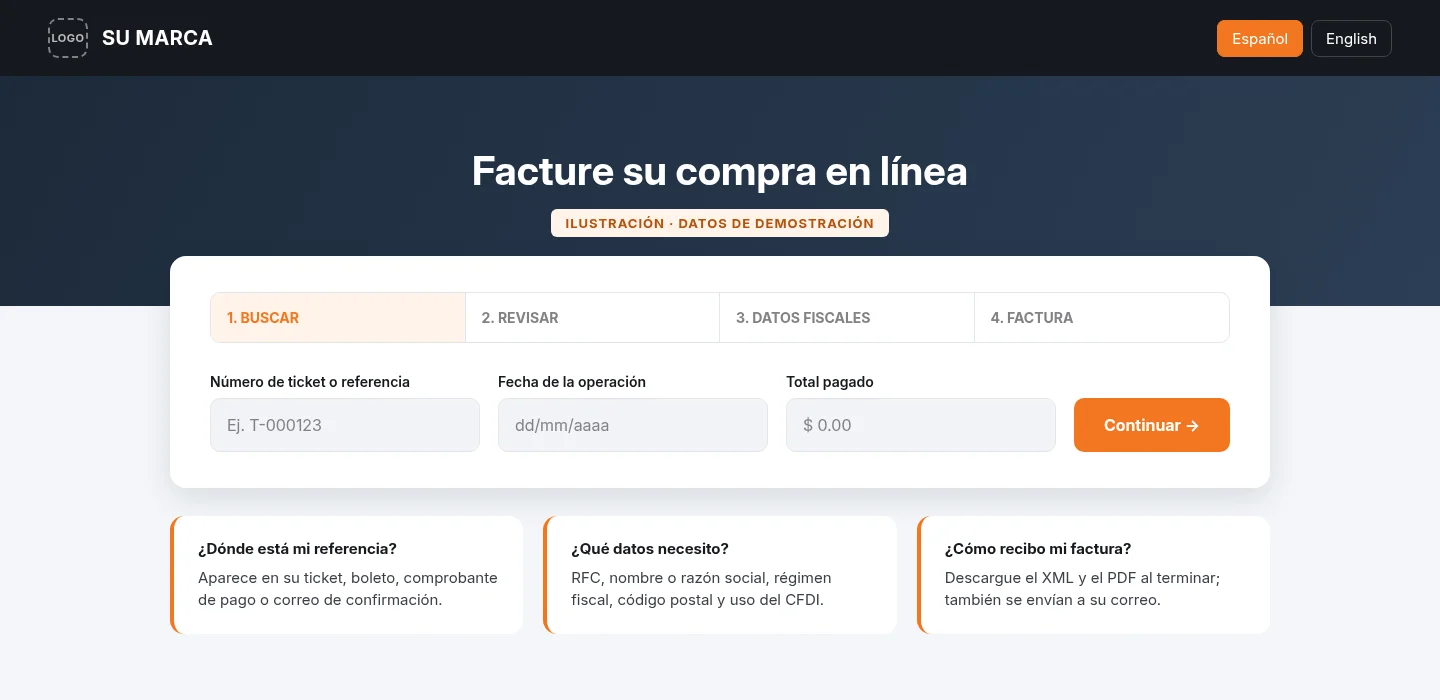
- Customer lookupThe customer enters a reference: ticket or boarding-pass number plus a check field. The amount comes from the transaction; they do not type it.
- Tax detailsThey enter tax ID (RFC), name or legal name, tax regime, postal code and CFDI use.
- StampingThe CFDI 4.0 is stamped through a certified PAC and the customer downloads the XML and PDF. The transaction becomes invoiced.
- Global closeAt period end, anything not invoiced individually is grouped into the global invoice, with a preview before it is issued.
Portal operations and benefits
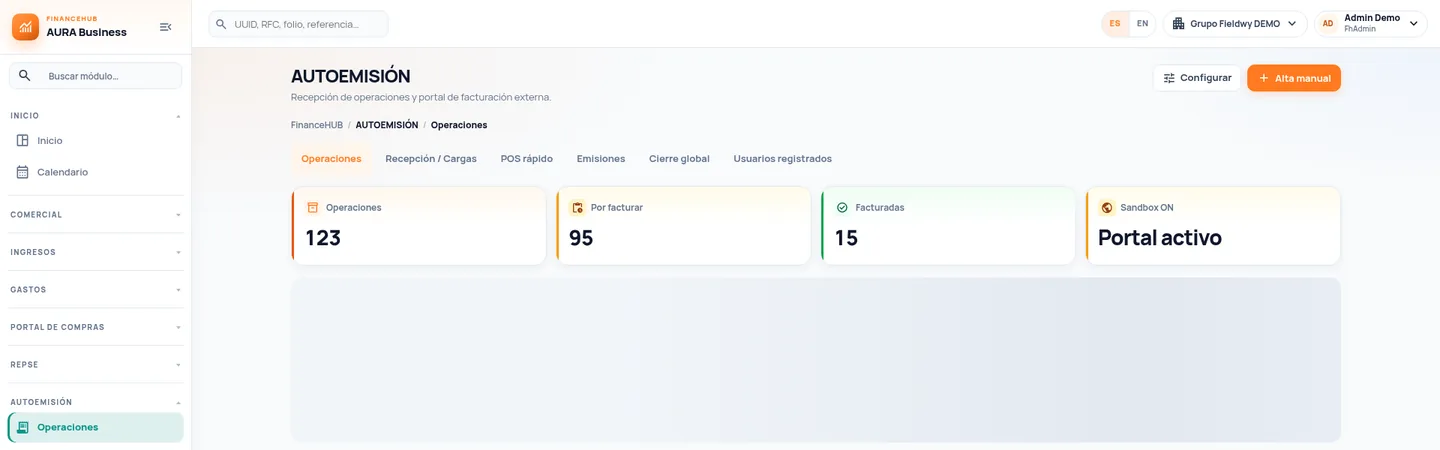
Invoicing the public with control from source to close
Multiple portals
One per legal entity, brand or segment, each with its own address and settings.
Industry scenarios
Ticket, point of sale, order, policy, service, product or boarding pass, each with its own lookup.
Transactions and status
Pending, invoiced or canceled, with filters by scenario, channel, portal and date.
Test environment
Test invoices that do not touch your books or ERP before going live.
Certified PAC
Stamping through a SAT-authorized certification provider, configured per company.
Issuance and close
XML and PDF for each invoice, period global invoice and export for reconciliation.
Built for businesses that invoice the public every day
Retail and point of sale
A register ticket with folio and total; customers invoice from their phone.
Airlines and transportation
Boarding pass or booking number plus a passenger check field.
Parking and restaurants
Purchases with a receipt folio; same-day invoicing or within your policy.
Gas stations and services
High-volume transactions loaded by file or integration.
What changes in day-to-day operations
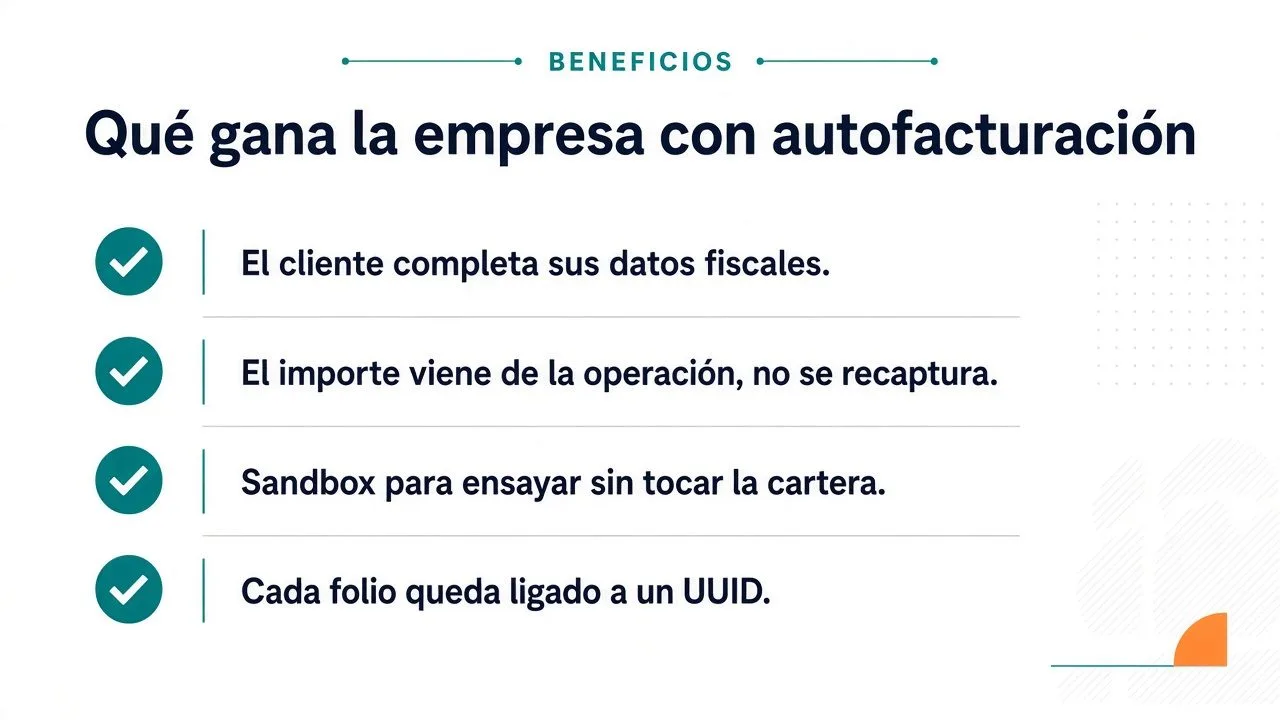
- Fewer manual requestsCustomers invoice online without writing to your team.
- Correct amountsThe total comes from the recorded transaction, not from customer input.
- One folio, one CFDIEach transaction is tied to its UUID and is never invoiced twice.
- An orderly closeThe global invoice groups pending items with preview and control.
Teams that stop invoicing by hand
- Tax and billing: rules, portals and invoices under control.
- Customer service: fewer invoice requests by email or phone.
- Operations and branches: sales are loaded once, at the source.
- IT: file or API integration and a test environment.
- Your customers: an invoice in minutes, with their reference.
What clients usually ask
Another question? Use the form on this page.
Who issues the invoice on this portal?
Your company. The customer only provides their tax details; the CFDI issuer is the legal entity that made the sale, and the invoice is stamped with its certificate through a certified PAC. This should not be confused with schemes in which the buyer issues the invoice, which follow specific SAT rules.
What details are requested from the customer?
Tax ID (RFC), name or legal name, tax regime and postal code of their tax address, plus the CFDI use code. These are the recipient details CFDI 4.0 requires (SAT Annex 20; Federal Tax Code, art. 29-A).
Do we need a PAC?
Yes. Every CFDI must be certified by SAT or an authorized certification provider (Federal Tax Code, art. 29). The portal stamps through a certified PAC configured for your company.
What happens to sales nobody invoices?
They are included in the global invoice to the general public, at the frequency your company uses (daily, weekly, biweekly, monthly or bimonthly, per the CFDI 4.0 catalog). The system shows a preview before issuing it.
What if a customer asks for an invoice after the global one?
It is handled with the cancellation and re-invoicing policy your company defines under current SAT rules. The portal prevents stamping a second CFDI for the same folio outside that procedure.
How long can customers invoice?
The invoicing window is configured per portal according to your policy and current tax rules. Outside that window the portal tells the customer what to do.
Can we test without affecting our books?
Yes. The test environment issues trial invoices that never reach your books or ERP. Each scenario is validated before going live.
How is a CFDI issued in error canceled?
Following SAT rules: a cancellation reason is given and, when applicable, the recipient must accept it. The cancellation is recorded in the portal log.
For information only; this is not legal or tax advice. Regulatory references cite Mexican law in force as of November 2026 (Federal Labor Law, Social Security Law, INFONAVIT Law, Income Tax Law, VAT Law and Federal Tax Code) and the official STPS, IMSS, INFONAVIT and SAT portals. Specific obligations depend on each contract and should be confirmed with your advisor. Screens show demo data.
Tell us how you operate today
A specialist reviews your case and prepares the demo around a scenario similar to yours.
- Session with a specialist in finance and compliance processes.
- Your operation as the example, not a generic demo.
- Phased scope, defined with your team.